Choosing the Right Arduino Board: Uno, Nano, ESP and their relatives
Walk into the world of microcontrollers and you’ll quickly run into a small army of boards that all look kind of similar — but behave very differently. Arduino Uno, Nano, Mega, ESP32, ESP8266… they all run code, they all blink LEDs, and yet they’re built for very different jobs.
So what actually separates these boards, and how do you know which one to pick?
Let’s take a big-picture look at the most common ones.
First: What Is an Arduino Board?
An Arduino board is basically three things:
- A microcontroller (the tiny computer doing the work)
- A power and programming interface (usually USB)
- A set of pins for connecting sensors, motors, and other electronics
You write code on your computer, upload it, and the board runs that code over and over again, reacting to the physical world in real time.
Different boards mainly differ in how powerful that microcontroller is and how much hardware is built around it.
Arduino Uno: The Classic Starting Point
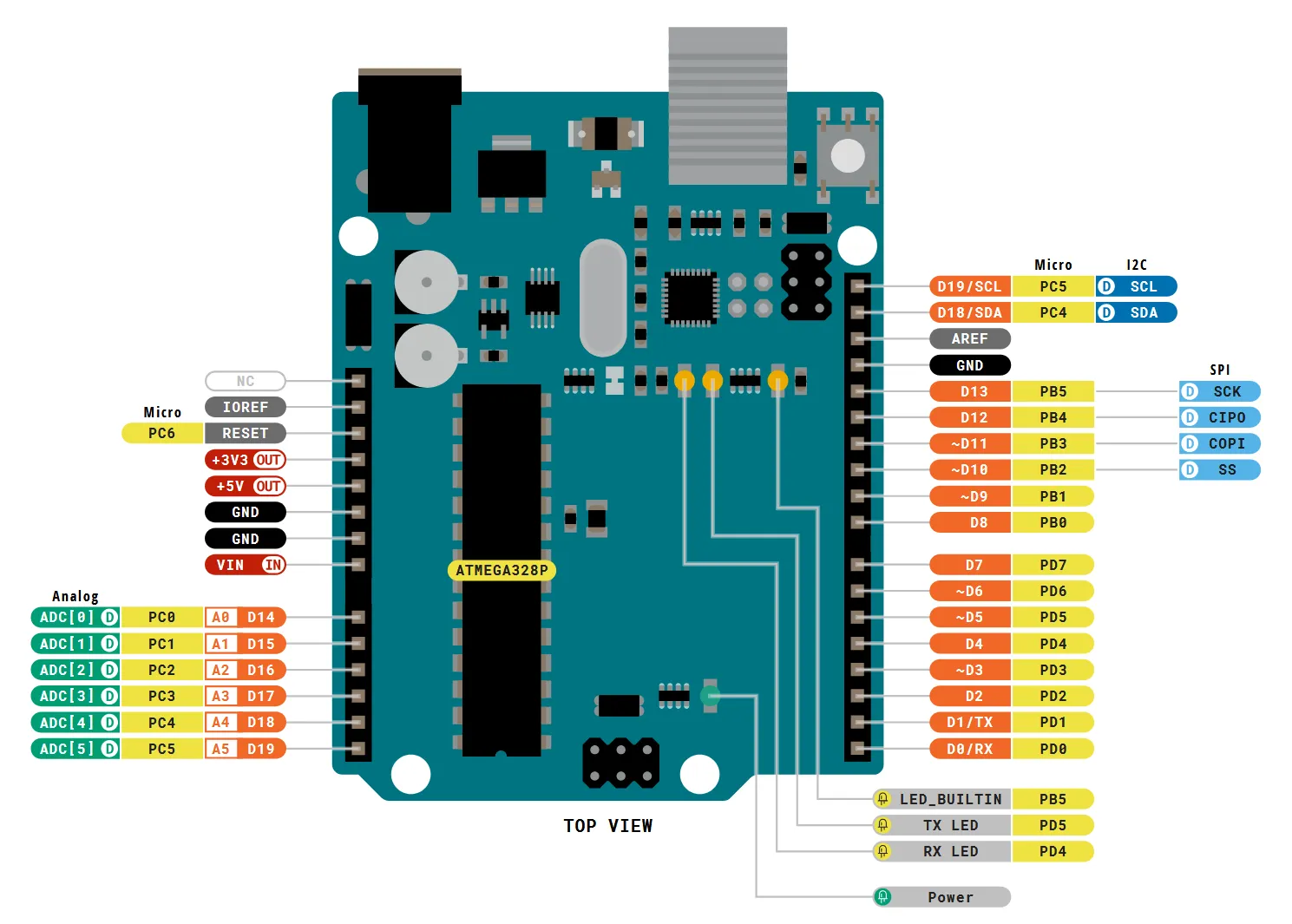
If you’ve seen an Arduino in a classroom or tutorial, it was probably an Arduino Uno.
Why it’s popular:
- Very simple and reliable
- Tons of tutorials and examples
- Compatible with most beginner shields and modules
The Uno is great for:
- Learning basics
- Simple robots
- Sensor experiments
- LED and motor projects
Its limitations:
- Limited memory
- Slower processor
- No built-in Wi-Fi or Bluetooth
It’s not powerful, but it’s predictable and extremely well documented — which makes it perfect for learning.
Arduino Nano: Small but Familiar
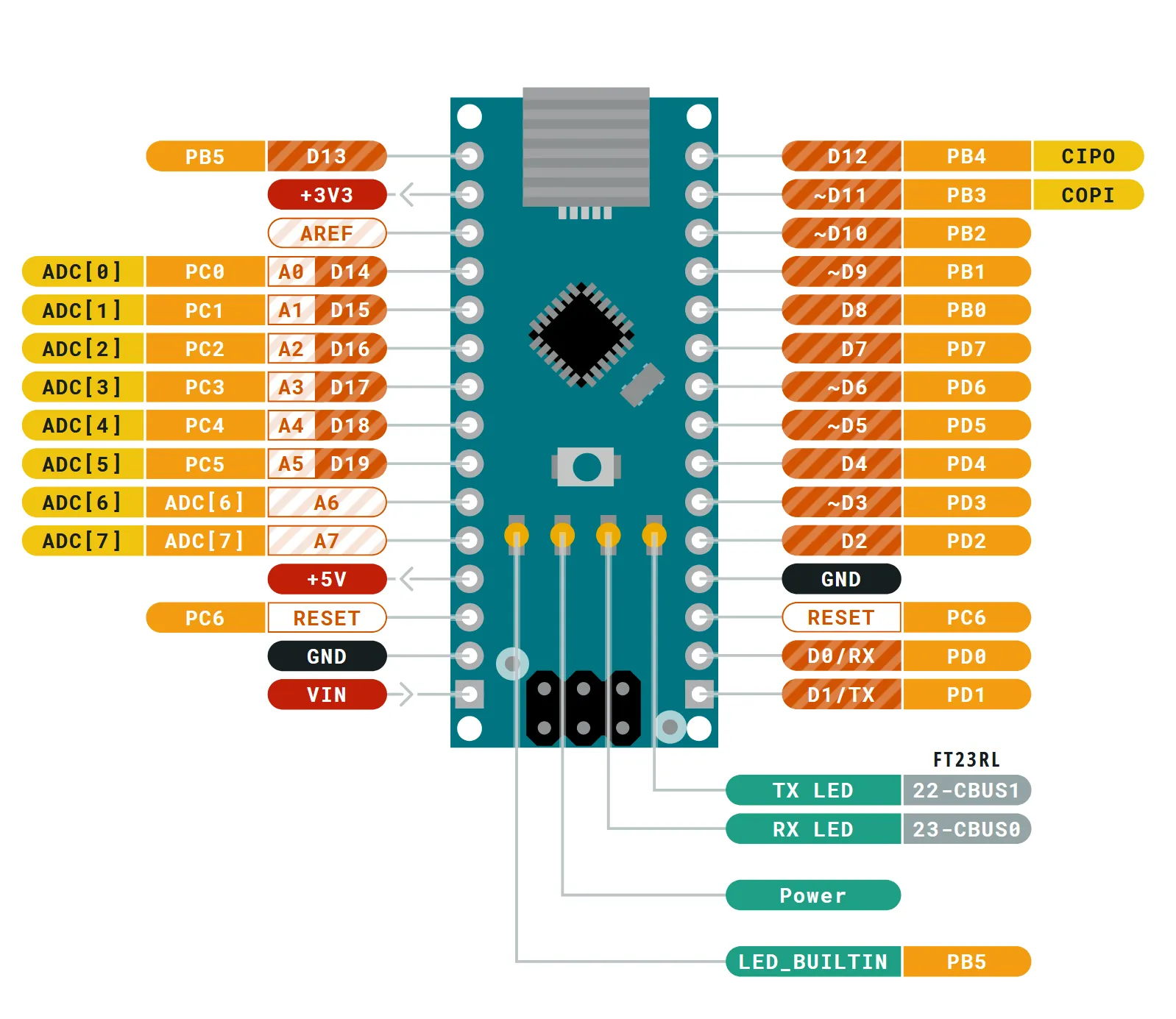
The Nano is basically an Uno squeezed into a much smaller form factor.
What’s different:
- Same kind of microcontroller as the Uno
- Same programming model and code
- Much smaller size
- Designed for breadboards and compact projects
This makes the Nano ideal for:
- Wearables
- Permanent installations
- Projects where space matters
If you know how to use an Uno, you already know how to use a Nano. The main choice here is physical size, not capability.
Arduino Mega: When You Need More Everything
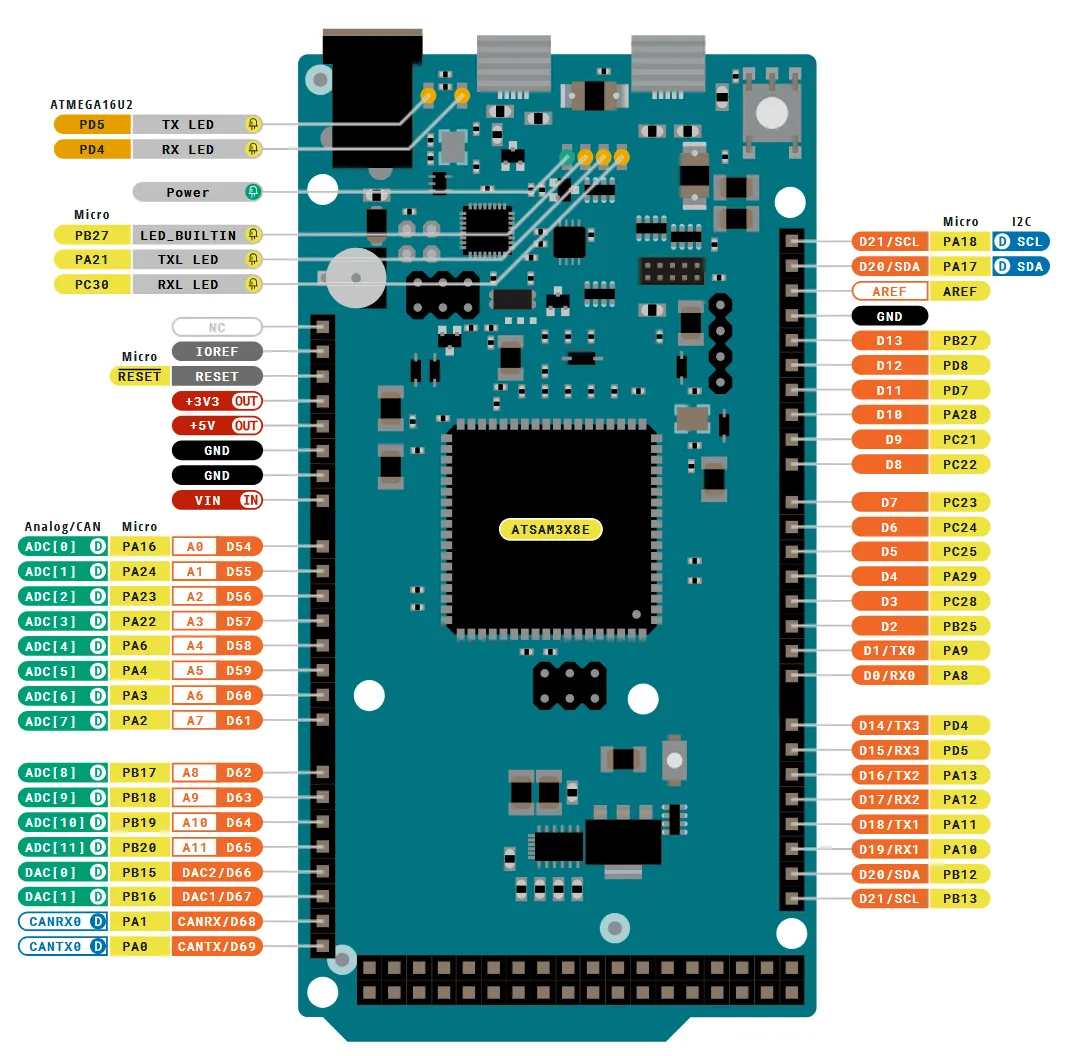
Sometimes projects outgrow the Uno.
The Arduino Mega offers:
- Way more input/output pins
- More memory
- Better for big projects with many sensors and motors
It’s commonly used in:
- 3D printers
- CNC machines
- Large robotics projects
The trade-off is size and cost. It’s bigger and more expensive, but when you need lots of connections, nothing beats it in the classic Arduino family.
ESP8266 and ESP32: Arduino-Compatible, But With Superpowers
Then there are the ESP boards, which technically aren’t made by Arduino — but can be programmed using the Arduino IDE and libraries.
And they change the game.
ESP8266: Cheap Wi-Fi for Everything
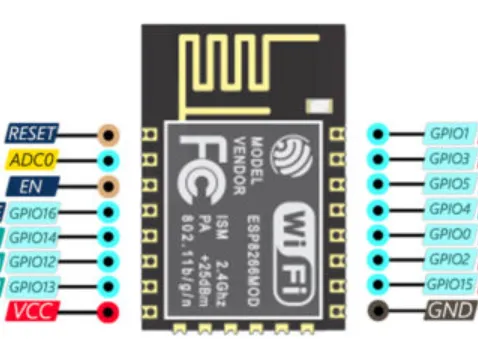
The ESP8266 became famous because it made Wi-Fi incredibly cheap and accessible.
Its strengths:
- Built-in Wi-Fi
- Much faster than classic Arduinos
- Very low cost
Perfect for:
- IoT sensors
- Smart home devices
- Web-controlled projects
Its downsides:
- Fewer pins
- Less beginner-friendly hardware layout
Still, for anything that needs internet connectivity, the ESP8266 is a huge upgrade over Uno-style boards.
ESP32: The Powerhouse Microcontroller
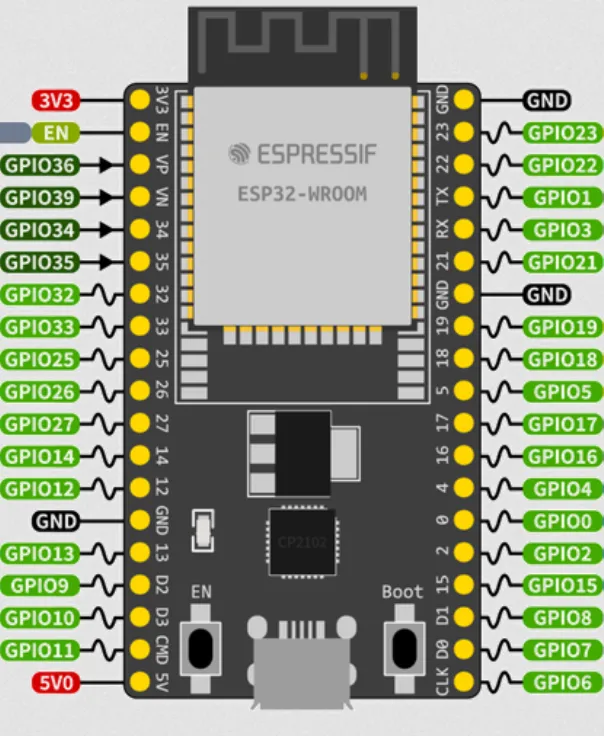
The ESP32 is like the ESP8266 on steroids.
It includes:
- Wi-Fi and Bluetooth
- Dual-core processor
- Much more memory
- Lots of peripherals (touch sensors, DACs, etc.)
This makes it great for:
- Complex IoT systems
- Audio and signal processing projects
- Bluetooth devices
- Battery-powered smart gadgets
In many projects, an ESP32 can completely replace both an Arduino and a separate Wi-Fi module.
Power vs Simplicity
So why doesn’t everyone just use ESP32 all the time?
Because more power also means:
- More complex hardware behavior
- More things to configure
- Slightly trickier debugging
Classic Arduino boards like the Uno are extremely stable and simple. For learning, teaching, and very basic control tasks, that simplicity is a feature, not a limitation.
ESP boards shine when connectivity and performance matter more than beginner friendliness.
Compatibility and Code
One of the reasons these boards coexist so well is that many of them share the same programming style through the Arduino ecosystem.
That means:
- Same basic code structure
- Same libraries in many cases
- Same development tools
You can often move a project from Uno to Nano to ESP with only small changes, especially for sensor and control logic.
The hardware may change, but the mental model stays familiar.
So Which One Should You Choose?
Here’s the simple version:
- Arduino Uno → learning, simple control, classroom projects
- Arduino Nano → small versions of Uno projects
- Arduino Mega → lots of motors, sensors, or displays
- ESP8266 → cheap Wi-Fi projects
- ESP32 → powerful, connected, modern embedded systems
The best board is the one that fits your project — not the one with the biggest spec sheet.
One Ecosystem, Many Possibilities
What makes the Arduino world special isn’t just any single board. It’s the ecosystem: shared tools, shared libraries, and a massive community of people building and documenting projects.
Whether you’re blinking your first LED or building a connected device that talks to the cloud, there’s a board designed to make that step easier.
Different boards, same idea:
small computers, real-world control, endless experiments.
And that’s why these tiny boards keep showing up in classrooms, workshops, and hobby desks all over the world.