
Arduino IDE: Where Code Meets the Physical World
If you’ve ever wanted to make the real world react to your code — lights blinking, motors spinning, sensors talking back — chances are you’ve heard of Arduino. But before wires, breadboards, and mysterious little components take over your desk, there’s one tool that quietly makes everything possible: the Arduino IDE.
It might look simple at first glance, but the Arduino IDE is doing a lot of heavy lifting behind the scenes.
What Is the Arduino IDE?
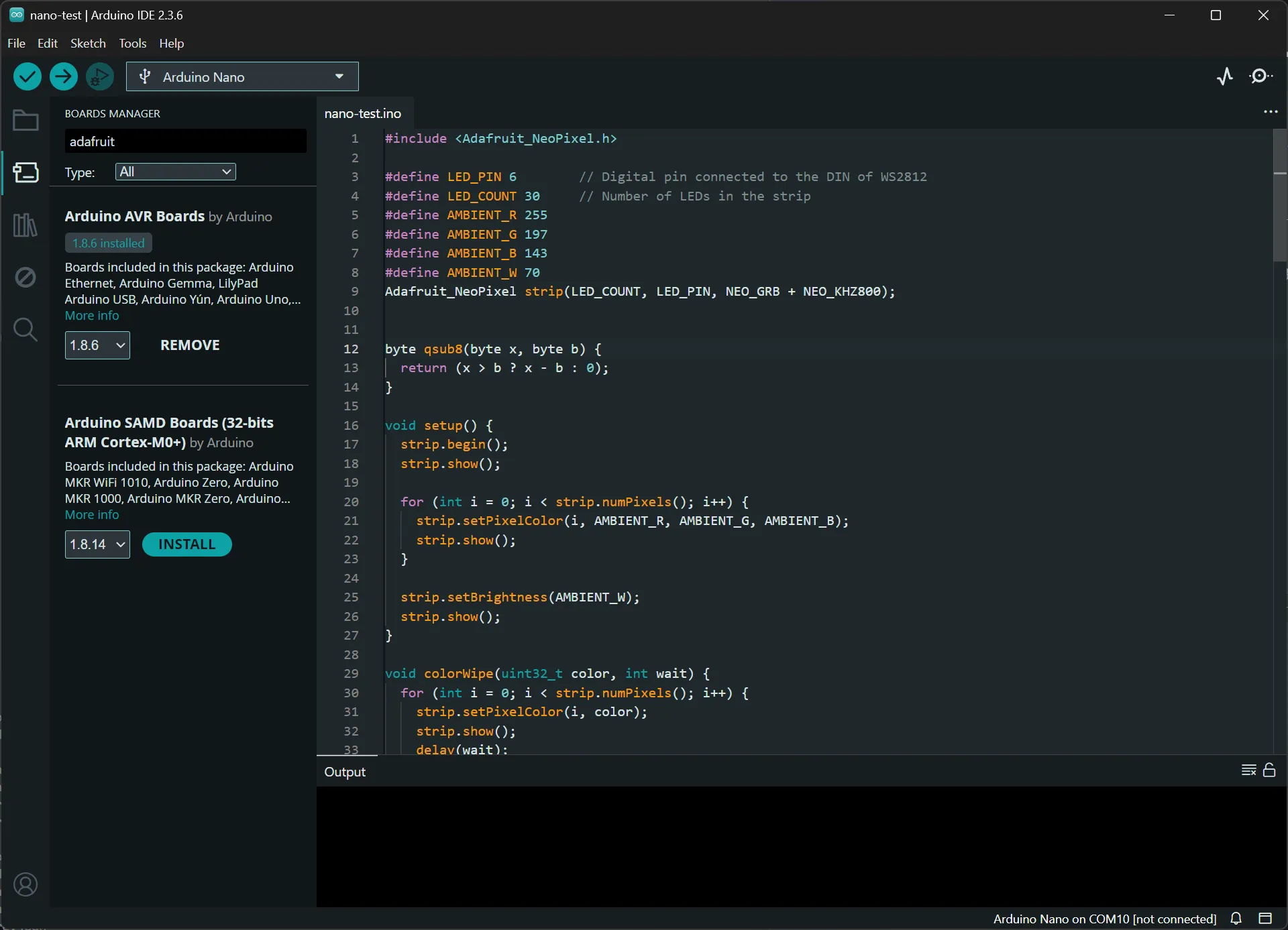
The Arduino IDE (Integrated Development Environment) is the software you use to write code and upload it to an Arduino board. It’s where your ideas turn into instructions that tiny microcontrollers can actually understand.
At its core, it’s a code editor, a compiler, and an uploader all wrapped into one. You write your program (called a sketch), click Upload, and the IDE translates your code into machine language and sends it straight to the board over USB. No extra tools, no complicated setup — just code and go.
That simplicity is exactly why Arduino became so popular in the first place.
Hardware Is Hard (So the Software Tries to Be Easy)
Programming hardware used to mean dealing with confusing toolchains, device drivers, and cryptic configuration files. Miss one setting and nothing works. The Arduino IDE hides most of that complexity so you can focus on what you actually want to build.
Instead of worrying about clock speeds and register maps, you get friendly functions like:
digitalWrite()to turn pins on or offanalogRead()to read sensor valuesdelay()to control timing
Behind those simple commands is a lot of low-level code that talks directly to the microcontroller. The IDE includes all of that automatically, so beginners can jump in fast while advanced users can still go deeper when they want.
Libraries: Stealing Code the Right Way
One of the Arduino IDE’s superpowers is its library system.
Want to control a screen? There’s a library.
Using a temperature sensor? There’s a library.
Building a robot, a weather station, or a MIDI controller? Also libraries.
Instead of writing everything from scratch, you can install libraries directly from the IDE and instantly get access to tested, reusable code written by the community and hardware manufacturers. This turns complicated hardware tasks into just a few lines of code.
It’s not cheating — it’s how real engineering works.
From Code to Circuit in One Click
In most programming environments, “running” your code just means executing it on your computer. With Arduino, Upload means your program becomes part of a physical system.
Once the code is on the board, it keeps running even if you unplug it from your computer. That’s how projects become standalone gadgets instead of just experiments tied to a laptop.
This tight connection between software and hardware is what makes the Arduino IDE feel different from normal coding tools. You’re not just debugging logic — you’re debugging reality.
More Than Just One Board
Even though it’s called the Arduino IDE, it doesn’t only work with classic Arduino boards anymore.
Today it supports:
- Dozens of official Arduino models
- Third-party microcontrollers
- Wi-Fi and Bluetooth boards
- Tiny low-power chips and powerful 32-bit processors
You select the board type, choose the right port, and the IDE adjusts how it compiles and uploads your program. Same interface, different hardware, wildly different possibilities.
That flexibility is why the same IDE can be used for simple LED projects and serious embedded prototypes.
A Gateway to Embedded Systems
For many people, the Arduino IDE is their first step into embedded programming — the world of software that runs inside everyday devices.
Traffic lights, microwaves, car dashboards, smart thermostats — they all run code on microcontrollers. Arduino doesn’t just teach you how to blink LEDs; it introduces the basic patterns of how real hardware-controlled systems are built: loops, timing, interrupts, and sensor feedback.
Once you understand those ideas, moving to more advanced tools and platforms becomes much easier.
Simple on the Surface, Powerful Underneath
The Arduino IDE is intentionally friendly. It doesn’t try to look intimidating, and it doesn’t force you to learn everything at once. You can start with a few lines of code and grow from there.
But under that simple interface is a full C++ compiler, hardware abstraction layers, and a massive ecosystem of libraries and boards. It scales from weekend tinkering to serious prototyping.
And that’s kind of the magic of it:
one small program window, infinite physical possibilities.